
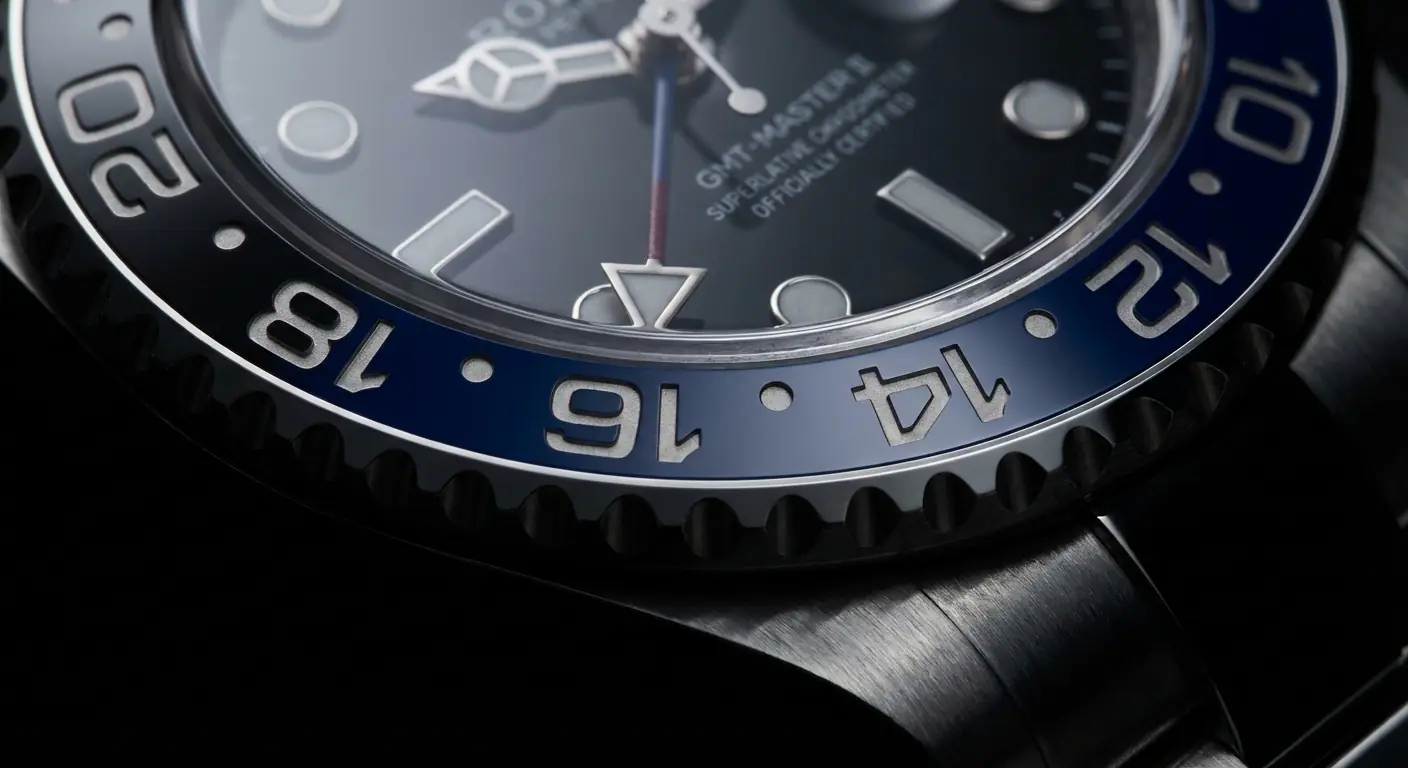
You probably have a GMT watch. Maybe it's a Rolex GMT-Master II, a Tudor Black Bay Pro, or an affordable Seiko 5 Sports GMT. You bought it because that extra colorful hand looked cool, or because the two-tone bezel gave it a pop of color.
But be honest: when was the last time you actually used it to tell time in another country?
For most of us, the rotating bezel is just a glorified fidget spinner—something to click satisfyingly while waiting for a meeting to start. But the GMT complication is arguably the most practical mechanical feature ever invented for the modern world. It connects you to another place instantly, without pulling out your phone.
Here is how to stop wearing it as jewelry and start using it as the tool it was designed to be.
A Brief History: How Pan Am Changed Wristwatches
Before we get to the "How-To," it helps to understand the "Why."
In the early 1950s, the Jet Age was taking off. Pan American World Airways (Pan Am) approached Rolex with a specific problem: their pilots were flying across multiple time zones faster than ever before. They needed a way to track "Home Time" (for logging flight hours) and "Local Time" (for landing) simultaneously.
Rolex's solution in 1954 was the GMT-Master (Reference 6542). It featured a fourth hand that rotated once every 24 hours and a rotating bezel marked with 24 hours. The brilliance wasn’t just the extra hand—it was the bezel. By simply turning the bezel, a pilot could offset the time without resetting the watch. It was analog computing at its finest.
The Two Types of GMTs (The "Caller" vs. "Flyer" War)
Before you twist anything, you need to know what engine is under the hood. This is the biggest debate in horology right now.
- The "Flyer" (or True) GMT: This is the traveler's choice (Rolex, Omega, Tudor). When you pull the crown to the first position, the main hour hand jumps in one-hour increments. This lets you change your local time when you land in New York without stopping the watch.
- The "Caller" (or Office) GMT: This is for the person sitting at a desk (Seiko, ETA-based watches). When you turn the crown, the 24-hour hand moves independently. It's designed to set a second time zone for tracking remote teams without messing up your main time.
Currently, the method for using the bezel is the same for both, but setting them up differs slightly. Let's assume your watch is set and running.
Method 1: The "Set and Forget" (Two Zones)
This is the vanilla way to use a GMT.
Scenario: You are in London (UTC+0) and want to track New York (UTC-5).
- Keep your bezel aligned perfectly at 12 o'clock (the triangle at the top).
- Set your main hands to London time.
- Set the 24-hour hand to point to New York time on the dial's internal 24-hour scale (if it has one) or simply use the bezel numbers as they sit.
Pro Tip: Always set the 24-hour hand to UTC. If you do this, you never have to reset the hand again. You just rotate the bezel. Which brings us to Method 2.
Method 2: The Bezel Jump (The Real Way)
This is where the magic happens. If you keep your 24-hour hand permanently set to your "Home Time" (or better yet, UTC), the bezel becomes a dynamic calculator.
Scenario: Your 24-hour hand is set to UTC (Midnight is down, Noon is up). You just landed in Tokyo (UTC+9).
Instead of unscrewing the crown and hacking the movement:
- Know the offset. Tokyo is +9 hours from UTC.
- Rotate the bezel. Turn it 9 "clicks" or hours to the left (counter-clockwise).
- Read the time. Look at where your 24-hour hand points on the bezel. That is Tokyo time.
If you need to check Los Angeles (UTC-8)? Rotate the bezel 8 hours to the right (clockwise). Done. You have instantly changed the time zone of your watch without touching the crown.
Method 3: The "Three Time Zone" Trick
Yes, you can track three time zones at once. It requires a bit of mental gymnastics, but it's a great party trick.
- Zone 1 (Main Hands): Your local time.
- Zone 2 (24h Hand): Set to UTC (or Home Time). You read this off the dial markers.
- Zone 3 (Bezel): Rotate the bezel to offset from Zone 2. You read the 24h hand against the bezel numbers for this third zone.
It's cluttered, it's confusing, and it makes you look like a mad scientist. But it works.
3 Common GMT Mistakes to Avoid
Even seasoned collectors get these wrong. Don't be "that guy" at the watch meetup.
1. Confusing the "Diver" Bezel with the "GMT" Bezel
A dive bezel counts minutes (0-60) and only rotates one way (unidirectional) for safety. A GMT bezel counts hours (0-24) and rotates both ways (bidirectional). If you try to time your pasta with a GMT bezel, you're going to overcook it by a factor of 2.5.
2. Ignoring the AM/PM Difference
The 24-hour hand moves at half the speed of the normal hour hand. It only circles the dial once a day. If your 24-hour hand is pointing at 6 o'clock on the dial, that's not 6:00 PM—that's 12:00 PM (Noon). Usually, the bottom half of the dial is "Day" (06:00 - 18:00) and the top half is "Night" (18:00 - 06:00).
3. Setting "Local Time" on the 24-Hour Hand
This defeats the purpose. The 24-hour hand is your anchor. It should always remain on your "Home" time (or UTC). If you change it every time you travel, you lose your reference point. Always move the local hour hand (if you have a Flyer GMT) or the bezel.
Why It Matters
By using the bezel, you are engaging with the mechanics of the machine. You aren't just checking a notification on a screen; you are physically manipulating a gear system to align yourself with a different part of the planet.
So next time you travel, or have a call with a team in Singapore, don't Google the time. Twist the bezel. That click is the sound of a tool doing its job.